Matching
Matching is the process of verifying the accuracy of invoices against Purchase Orders (POs) and Goods confirmation (known as GRNs) before approval This ensures correctness, compliance, and prevention of duplicate payments.
Purpose:
- Prevent errors in payment processing
- Detect discrepancies early
- Ensure goods/services were delivered as per agreement
2 - Way Matching
What it does:
- Compares Invoice vs PO for key fields:
- Description
- Quantity
- Unit Price
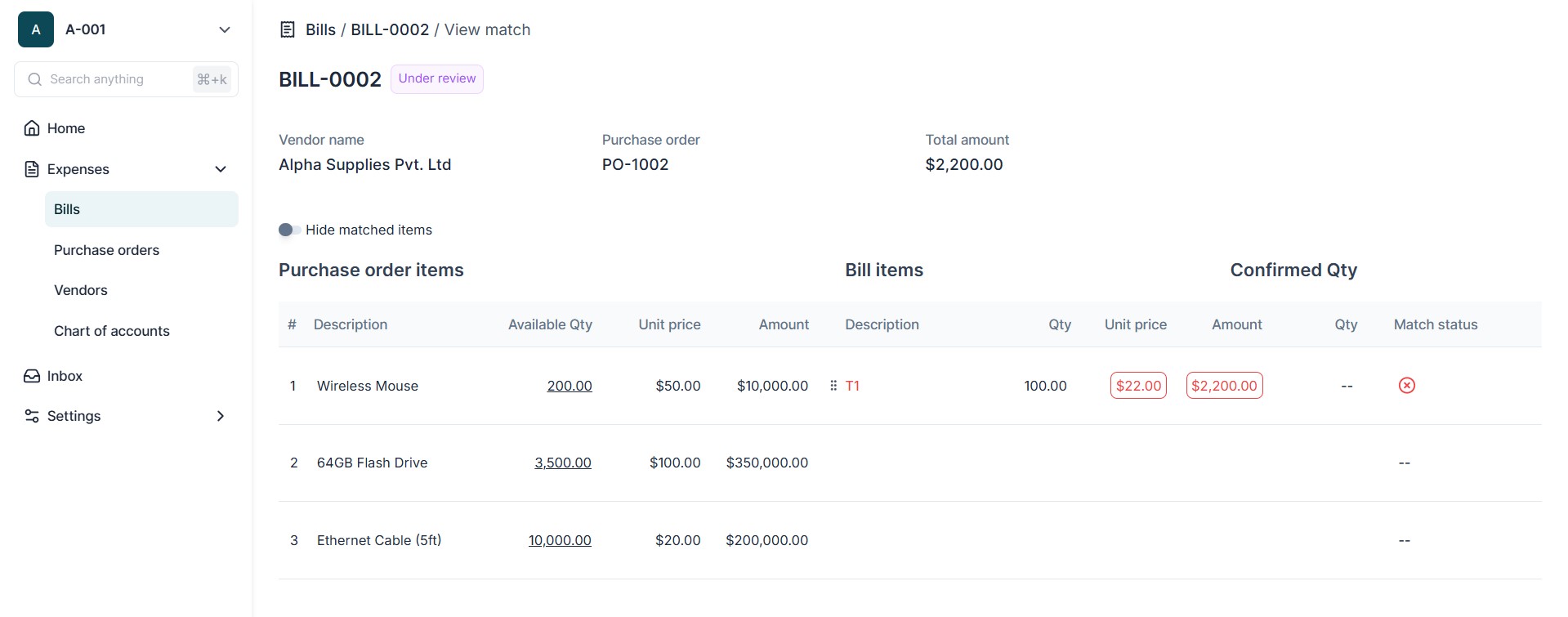
Process:
- Upload or create a bill linked to a PO.
- Rever automatically checks the invoice against the PO line items.
- If values match within allowed tolerances, the invoice passes 2-way matching.
- If discrepancies exist, the system flags the invoice for review.
3 - Way Matching
What it does:
- Compares PO + Invoice + GRN to confirm that:
- Goods or services were actually received
- Invoice matches the delivered quantities and agreed prices
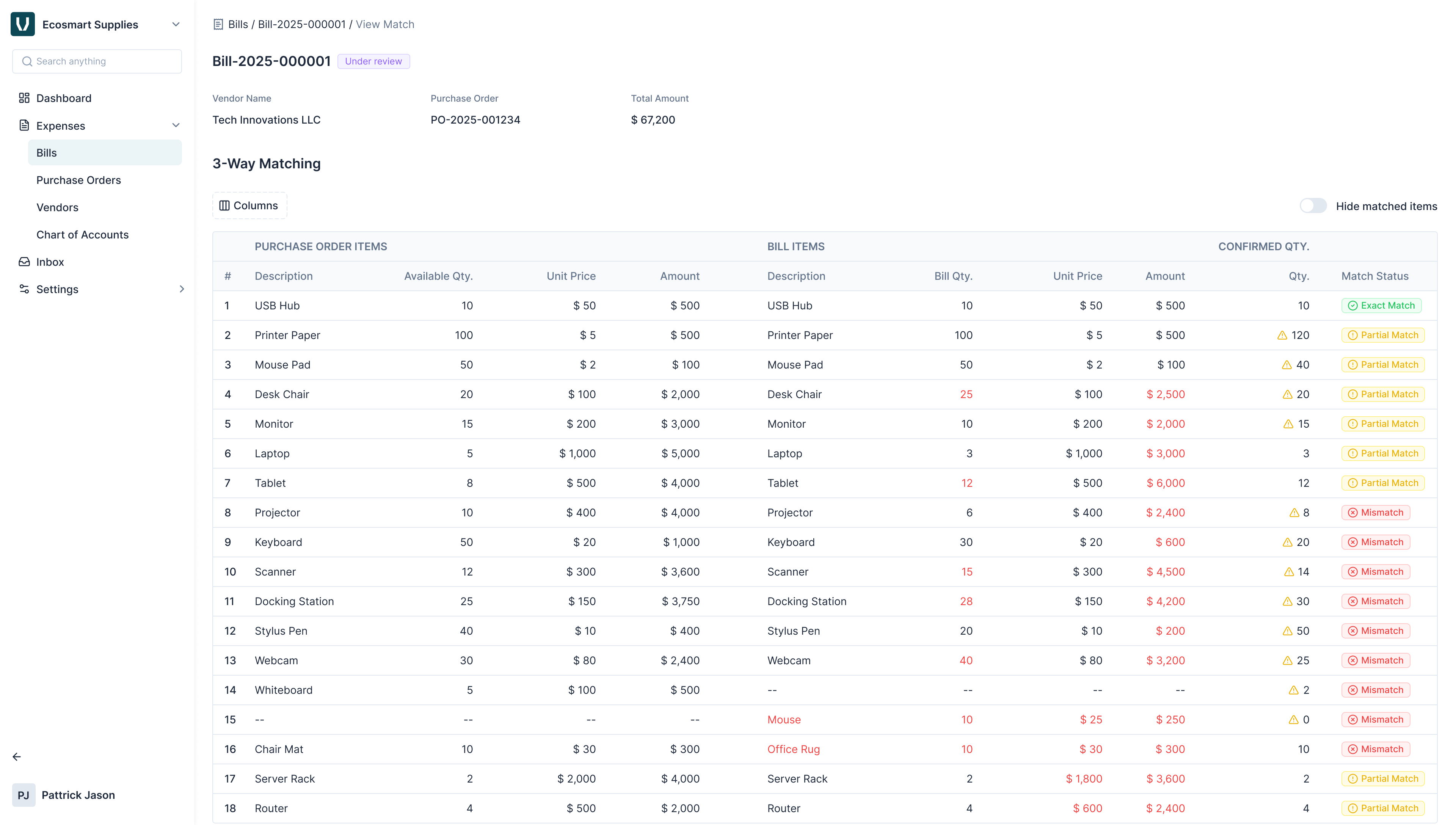
Process:
- Ensure GRN is recorded in the system for delivered goods/services.
- Upload or create invoice linked to the PO.
- Rever checks the invoice against both the PO and GRN.
- If everything matches, the invoice can proceed to approval.
- If GRN is missing or quantities differ, the system generates a Mismatch Alert.
Advanced Matching Features
- Partial Receipts: Allows invoices to be matched even if the PO is partially fulfilled.
- Split Invoices: Supports multiple invoices linked to a single PO.
Mismatch Alerts
Function:
- Automatically flags discrepancies and provides reason codes , such as:
- Quantity mismatch
- Price variance
- Missing GRN (Lite user goods confirmation)